

DU is a well-known telecom provider company based in the UAE. Under the name Emirates Integrated Telecommunications Company (EITC), these telecom services were introduced in February 2007.
This telecom service provider introduces postpaid plans for you. Whether you use data daily or you need minutes, you need to know how to du telecom balance check
To avoid unexpected disruptions in telecom services, it is important to keep track of your DU balance so that you are free from the worry of running out of data and stay connected to the service.
In this guide, we have mentioned very easy ways. How to check du balance. Also, some of the latest tips can help you save your DU balance from being lost. With all this information, you can monitor your DU balance and recharge it easily.
How to Check Du Balance: All Methods Explained
All these methods are simple. Just follow them for the du check balance. A guide related to the FAB Bank Salary Account Balance Check is waiting for you.
Method # 1 using USSD Codes
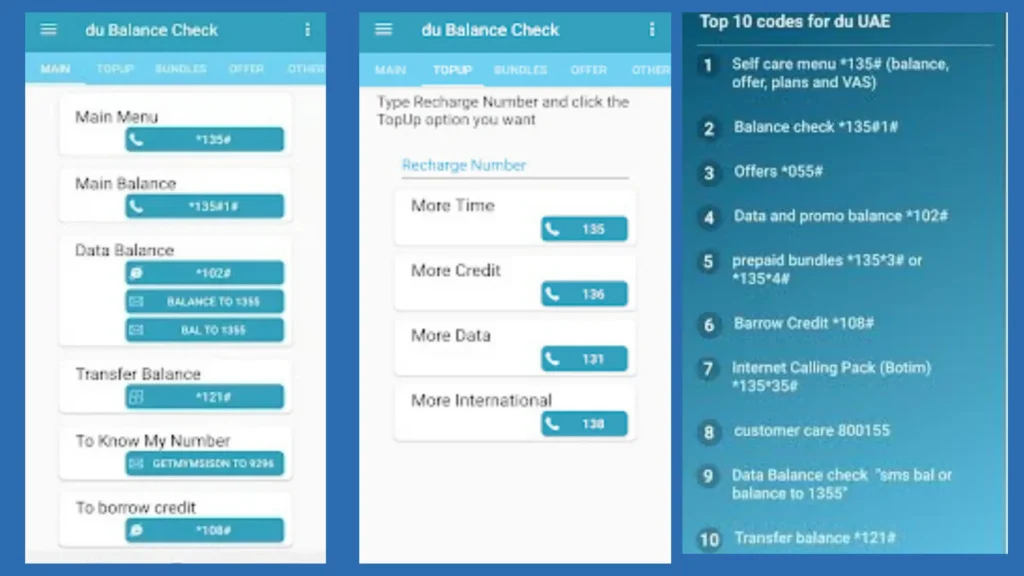
- Open the mobile dialer and type *135#
- Press Call and select the option
- Postpaid balance
- Prepaid balance

For a specific balance
- To check data balance: *1355#
- To check international minutes: *1355#
Method # 2 using SMS Service
For Prepaid User
- Open Messenger and Write BAL or BALANCE
- Send to 1355
- Receive data, minutes, and a validity message
For Postpaid User
- Open Messenger Write REWARDS
- Send to 1355
- Receive a message of data, minutes, and validity
Related Guide about NBAD Balance Check
Method # 3 using Du Mobile App
- Download Du App
- Sign in with your Du number or account details
- Move to the Account balance for details
- Like Real-time data usage, Bill history, and Active plans, etc
Method # 4 using Du Website & Self-Care Portal
- Visit the Du Website and Self-Care Portal for more information
- Sign in with your Du account details
- Now you can check the balance and the Usage History of your Du account
Related Guide about 6 Quick Methods for FAB Balance Check
Method # 5 using IVR System
- Use the Du number and dial 135
- Carefully Voice and Press no according to your need (i.e, 1 for balance )
- You will receive details according to your need ( i., details of balance )
Related Guide about Al Rostamani Balance Check
Method # 6 Customer Services
Du customer service is available 24/7
For any complaint, call 155 (UAE) or +971 55 5678 155( Internationally )
How to check the DU balance on an iPhone
- Use Du App
- Dial *135#
- Send SMS of “BAL” or “BALANCE” to 1355
Du postpaid remaining minutes check
Simply enter *135# and click the Call button to see how many postpaid minutes are left. Through SMS, write “BAL” or “BALANCE” and send to 1355.
Then, access to your Du account or Du portal. A guide about Du Local Call Offers is waiting for you.
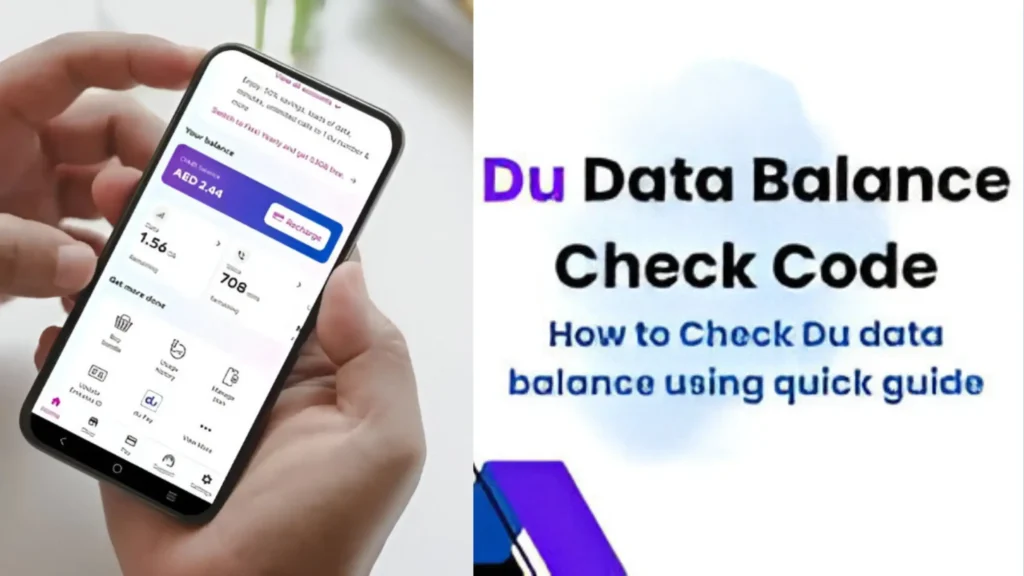
How to check the Du balance in Dubai
Dial/*135# on your Du SIM card and follow the instructions to check your Du balance in Dubai. This process is also done by SMS “BAL” or “BALANCE” sent to 1355.
Related Guide about ADCB Balance Check in UAE
Latest Tips for Managing Your Du Balance
Transferring Balance ( Du to Du )
- Put the USSD code in here: Dial 121 on your Du cell phone.
- Enter the recipient’s number: Enter the recipient’s du mobile number (05xxxxxxxxx) after 121 if you want to send the remaining sum to them.
- Add up the total: After the recipient’s number, enter the desired transfer amount in Dirhams.
- Finish the transaction: 1210551234567*30# should be the format, with 30 being the sum.
- Confirm: To complete the transaction, you will receive a confirmation SMS.
Recharge options
You can recharge online with my latest guide on check du balance online.
Always use the Du apps, Website, and Customer Care service
You can also use a Scratch card for a Recharge.
Data Saving Techniques
- Use Wifi to save data.
- Disable your app background refresh to save data.
Solution of Troubleshoot Issues
- If your balance is not updating
- Restart your cell phone
- Ensure network availability
- Call 155 du Support for more information.
Related Guide about Hafilat Card Balance Check
FAQS About How to Check Your Du Balance
Does checking my du balance incur any fees?
No, there aren’t any fees associated with DU balance checks.
How can I check my du prepaid balance?
You can check your balance via USSD code by dialing *135# and sending an SMS to 1355.
How to check du balance online?
You can check du balance online by logging into your du account on the du app or the My Account portal at myaccount.du.ae. From there, you can view your du account balance, du postpaid bill, du data balance, and recharge history. For quick access, use the du balance check code *135# for prepaid users or check your du bill and credit balance through the app if you’re postpaid.
Can I find out when my prepaid balance expires?
Yes, you can also find out the expiration date of your balance. When you dial *135# in the dialer and make the call, you will see both your prepaid balance and then the expiration date.
How do I contact du customer care for balance inquiries?
You can contact Up DU Customer Care through their official number 155 and +971 55 5678 155.
Conclusion
We have provided all the information you need to check your DU balance, save your balance, and find out the expiry date in this guide.
If you still have any problems or questions, you can let us know by commenting. We try to solve your problem and answer your question. Visit our site, UAEbalancecheck.com.
